
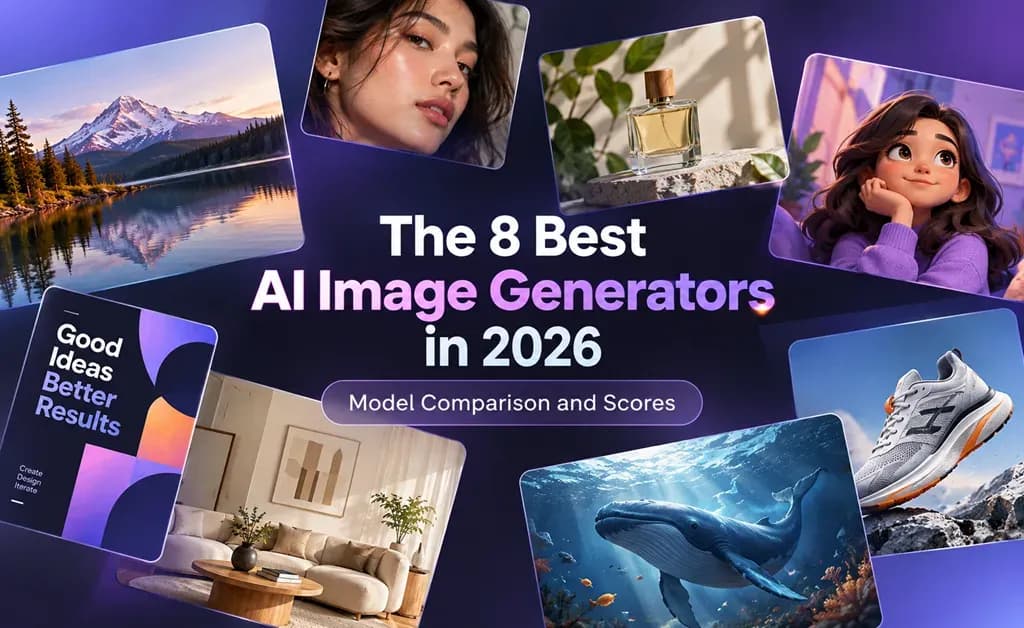
TL;DR: The Best AI Image Generator for Each Use Case
* Choose Nano Banana Pro for the highest overall editorial score in our test.
* For photorealistic product scenes, FLUX.2 Pro leads our comparison’s realism scores.
* Choose GPT Image 2.5 Flare for everyday marketing visuals and controlled image revisions.
* Use Seedream for storytelling illustrations and Recraft for typography, posters, and brand graphics.
* Explore concepts quickly with Nano Banana 2, then compare models in Lorka AI.
How We Tested the 8 Best AI Image Generation Tools
We used a consistent setup to help you compare models fairly:
-
The same prompts and aspect ratios wherever supported.
-
The same reference image for editing tasks.
-
Equal generation counts and comparable default settings.
-
Recorded test dates and exact model names.
We scored visual quality, prompt adherence, photorealism, creativity, speed, editing, and value. Overall ratings weighted image quality, instruction following, and practical usability more heavily.
Unsupported capabilities received N/A, not a lower score. Decimal ratings reflect our testers’ judgment of the outputs, not provider claims.
AI Image Generator Comparison Table
Compare the scores and suggested uses below for models such as Grok Imagine Image, GPT Image 2.5, and more models found on Lorka AI to find the tool that best fits your creative goals and workflow.
Scoring scale:
-
9.0-10: Exceptional; category-leading output with only minor limitations
-
8.0–8.9: Very strong; reliable, polished, and suitable for demanding work
-
7.0–7.9: Good; useful outputs with visible trade-offs or occasional inconsistency
-
6.0–6.9: Capable but limited; works for narrower or lower-stakes use cases
-
Below 6.0: Inconsistent for the tested category or meaningfully behind alternatives
-
N/A: Feature unsupported or not fairly comparable in the test
| Model | Best use case | Visual quality | Prompt adherence | Photorealism | Creative / art quality | Speed | Editing / reference image | Value | Overall |
|---|---|---|---|---|---|---|---|---|---|
| Gemini 3 Pro Image / Nano Banana Pro | Detailed campaign visuals, product mockups, and consistent subjects | 9.3 | 9.1 | 9.2 | 8.5 | 7.4 | 9.0 | 7.4 | 8.7 |
| GPT Image 2.5 Flare | Marketing visuals and everyday image edits | 9.1 | 9.0 | 8.4 | 8.5 | 7.3 | 9.0 | 7.4 | 8.5 |
| GPT Image 2.5 Sunburst | Detailed creative work and precise image edits | 9.0 | 8.5 | 8.2 | 9.1 | 7.2 | 8.2 | 7.3 | 8.3 |
| Gemini 3.1 Flash Image / Nano Banana 2 | Fast image creation and reference-based revisions | 8.1 | 8.2 | 8.0 | 7.7 | 9.0 | 8.1 | 8.2 | 8.2 |
| Grok Imagine Image 2.0 | Expressive illustrations, promotional graphics, and image edits | 8.0 | 7.4 | 7.2 | 9.0 | 8.3 | 6.4 | 8.0 | 7.6 |
| Seedream 5.0 Pro | Visual storytelling, text-rich layouts, and guided edits | 9.0 | 8.3 | 8.1 | 9.2 | 7.3 | 7.1 | 7.2 | 8.1 |
| Recraft V4 Pro | Posters, illustrations, typography, and brand graphics | 8.4 | 9.0 | 5.6 | 9.2 | 7.5 | N/A* | 8.1 | 7.9 |
| FLUX.2 Pro | Realistic product scenes, editorial images, and reference-based compositions | 9.2 | 8.4 | 9.3 | 8.4 | 7.2 | 7.2 | 7.3 | 8.3 |
* Recraft V4 does not support native prompt-based editing.
Note: Nano Banana and Gemini Flash Image are the same underlying model, which is why we put them in the same rows.
The 8 Best AI Photo Generators in 2026
Whether you need product photos, campaign graphics, or illustrations, your priorities will shape your choice. You can use each of these models in Lorka AI’s image generator.
1. Gemini 3 Pro Image / Nano Banana Pro: Best overall AI image generator 🏆
2. GPT Image 2.5 Flare: Best for everyday marketing visuals 🥈
Score: 8.5/10 | Strengths: Controlled edits, reference fidelity | Trade-off: Lower speed rating
Flare suits campaigns where you need variations of an existing image. You can change backgrounds or individual elements while retaining the subject and visual direction.
3. GPT Image 2.5 Sunburst: Best for detailed creative work 🥉
Score: 8.3/10 | Strengths: Editing precision, fine detail | Trade-off: Longer generation times
Think about using the OpenAI model when your product imagery or campaign creative needs careful refinement. It prioritizes tighter control across edits, making it useful when details matter more than quick drafts.
4. FLUX.2 Pro: Best for photorealistic product scenes
Score: 8.3/10 | Strengths: Realistic textures, multiple image references | Trade-off: Lower editing rating
FLUX.2 Pro suits ecommerce and editorial visuals that place products in new settings. Reference images help guide product appearance, while its photorealistic rendering supports detailed materials and lighting.
5. Gemini 3.1 Flash Image / Nano Banana 2: Best for fast iteration
Score: 8.2/10 | Strengths: Generation speed, reference-based editing | Trade-off: Lower visual quality rating than Pro
Nano Banana 2 is a practical starting point when you want to explore ideas quickly. You can generate social visuals, adjust existing images, and try different creative directions.
6. Seedream 5.0 Pro: Best for visual storytelling
Score: 8.1/10 | Strengths: Storyboard layouts, guided edits | Trade-off: Lower speed rating
Seedream suits illustrated sequences, campaign concepts, and information-rich graphics. You can guide changes with sketches or annotations, making it useful when you already have a clear layout in mind.
7. Recraft V4 Pro: Best for graphic design assets
Score: 7.9/10, pending review | Strengths: Typography, composition | Trade-off: No native prompt-based editing
Choose Recraft for posters, brand graphics, and illustrations where layout and color matter. Its design focus makes it a useful option for creating new assets from a detailed brief.
8. Grok Imagine Image 2.0: Best for expressive social graphics
Score: 7.6/10 | Strengths: Illustration, typography | Trade-off: Lower editing rating
Consider the xAI model for stylized promotional images and illustrated posts. Its support for detailed layouts and image references gives you room to explore distinctive visuals while guiding the composition.
The Exact AI Image Prompts and Settings We Used
We used the following prompts to generate images for cover realistic photography, product advertising, illustration, and controlled editing.
Test 1: Photorealistic lifestyle image
What to look for: Believable anatomy, natural skin and hair, consistent lighting, realistic textures, and accurate object placement.
Prompt ✍️
Create a photorealistic editorial lifestyle photograph of one fictional adult woman in her early 40s, seated at a weathered wooden table in a leafy backyard garden. She has shoulder-length curly dark hair, subtle freckles, and visible natural skin texture. She wears an unbranded olive-green linen shirt with loosely rolled sleeves.
Place her in the left third of the square composition, framed from the waist up at eye level. Her right hand holds the handle of a plain cream ceramic mug resting on the table. Her left hand rests flat beside an open notebook with no readable writing. Keep both hands fully visible.
Use soft morning sunlight from the upper left, gently illuminating her face and creating consistent shadows beneath the mug and her arms. Include individual flyaway hairs, fine fabric creases, ceramic texture, and visible wood grain.
Keep garden foliage recognizable but softly out of focus. Aim for a professionally lit, candid photograph with natural colors and realistic proportions. No additional people, logos, watermarks, beauty filters, or exaggerated skin smoothing.
Test 2: Product and commercial image
What to look for: Product geometry, material accuracy, controlled reflections, clean composition, and usable space for advertising copy.
Prompt ✍️
Create a premium studio advertising photograph of a fictional, unbranded reusable water bottle. The bottle has a straight cylindrical body made from matte forest-green powder-coated stainless steel, a brushed silver screw cap, and a narrow black silicone ring beneath the cap. Keep the construction physically plausible, with consistent edges and a level base.
Show one bottle standing upright on a low, rectangular pale limestone pedestal in the right third of a square composition. Use a three-quarter camera angle at approximately the bottle’s midpoint. Keep the entire bottle and pedestal visible.
Use a seamless warm ivory background. Leave the left 40 percent of the image empty and evenly lit for optional marketing copy. Place no props or decorative elements in that space.
Light the scene with a large softbox from the upper left and a subtle rim light from behind on the right. Show restrained metallic reflections, fine limestone pores, and a soft contact shadow beneath the bottle. The bottle should be the sharpest, most prominent element. No text, logos, labels, droplets, or additional products.
Test 3: Creative illustration and art direction
What to look for: Visual storytelling, a coherent palette, clear focal points, atmospheric depth, and consistent illustration style.
Prompt ✍️
Generate a cinematic editorial illustration of a fictional adult lighthouse keeper tending a small rooftop garden above a sea of clouds at dusk. The garden sits on a circular stone platform attached to an isolated lighthouse. The keeper wears a mustard-yellow raincoat and carefully waters a single luminous flowering plant.
Build a clear visual story around protecting something fragile in a vast, lonely environment. Place the keeper and glowing plant in the lower-right third of the square composition. Position the lighthouse along the left edge, with its upper section extending beyond the frame. A curved stone railing should guide the viewer’s eye toward the plant.
Use deep indigo, muted teal, and warm amber as the dominant palette. The plant casts a gentle amber glow on the keeper’s hands and face. Cool twilight illuminates the clouds, with distant mountain peaks breaking through.
Render the scene as a painterly digital illustration with visible brush texture, carefully defined focal details, and softer atmospheric distance. Keep the mood quiet, hopeful, and slightly mysterious. Avoid photorealism, additional characters, text, logos, and recognizable fictional properties.
Test 4: Reference image and controlled editing
What to look for: Preservation of facial identity, pose, framing, and untouched details, alongside accurate changes to the requested elements.
Prompt ✍️
Edit the supplied reference image while preserving the person’s identity and the original photographic style. Keep their facial structure, apparent age, skin tone, eye color, hairstyle, hairline, expression, and gaze unchanged. Preserve their exact pose, hand positions, body proportions, camera angle, framing, and position within the image.
Make only two intentional changes. First, replace the background with a realistic botanical greenhouse containing softly blurred leafy plants and a glass-and-metal structure. Second, change the jacket to muted navy blue while retaining its original cut, material, seams, buttons, folds, and fit.
Match the new background’s light direction and color temperature to the original lighting on the person. Keep the subject’s face and skin texture unchanged. Preserve fine hairs and clean, natural boundaries around the shoulders and hands.
Do not add accessories, alter other clothing, smooth the skin, reshape facial features, change the expression, or crop the image. Return one edited photograph without text or watermarks.
Why the Best AI Image Generator Depends on the Job
An AI image generator that’s best for a product launch may not be as good for an illustrated story. One model could do better than another in a certain area, but you have to pick what works best for what you need to make.
You should think about the following criteria before choosing an image model or models:
-
Realism and products: Focus on believable lighting and product details.
-
Rapid brainstorming: Favor speed so you can explore more ideas.
-
Editorial art direction: Look for mood, storytelling, and style control.
-
Graphic-design assets: Concentrate on composition, readable text, and consistent colors.
-
Image editing: Choose precise changes that preserve untouched areas.
-
Reference transformations: Prioritize recognizable people, objects, and visual details.
Use overall scores to build your shortlist, then compare the strengths that matter to your project.
Why You Should Not Limit Yourself to One AI Image Model
Your first concept and final campaign image may need different strengths. Lorka AI’s image generator brings the top image models from Google, OpenAI, and more into one workspace, giving you options as your project develops.
A practical multi-model workflow with Lorka AI lets you:
-
Explore initial concepts with a speed-focused model.
-
Develop polished marketing visuals with a premium model.
-
Create graphic assets with a design-oriented model.
-
Try another model when realism or prompt fidelity falls short.
-
Make controlled revisions with an image-editing model.
-
Compare outputs before choosing your final image.
Use one model when it meets your needs, and switch when another better suits the next task. You can also take your workflow even further by combining image models with LLMs like Opus 5.5, GPT-6, and more.


Create Better Images with Lorka AI
Generate, edit, and compare images with leading AI models—all from one workspace.
Create images with Lorka AIBest AI Image Generator FAQs
Gemini 3 Pro Image / Nano Banana Pro leads our editorial comparison with an overall score of 8.7/10; however, your best choice still depends on what you are generating images for. In Lorka AI, you can combine different models to build a workflow around your needs.