
Key Takeaways ⭐
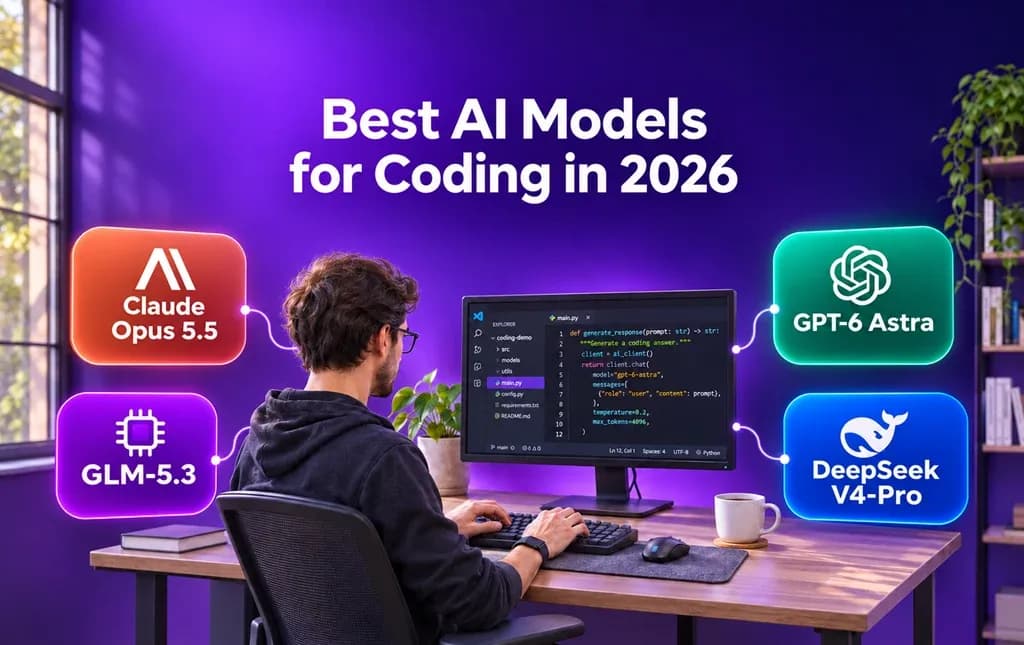
- Claude Opus 5.5 is our overall pick for advanced coding and debugging.
- Claude Fable 5.2 suits demanding technical problems and long-running projects.
- Claude Sonnet 5.5 balances capability, speed, and cost for everyday coding.
- GLM-5.3 is our top open-weight pick for flexible development.
- Lorka AI allows you to use and compare multiple AI models for coding in a single chat.
Quick Answer: The Best AI Model for Coding 2026 Ranking by Use Case
Go over the following table to help you find the best model for your work, whether you need it for high-volume work or larger codebases.
| Use case | Best pick | Runner-up | Why |
|---|---|---|---|
| Best overall | Claude Opus 5.5 | GPT-6 Astra | Opus is a strong choice for advanced debugging, refactoring, and multi-step development. Astra is another capable option for demanding software engineering work. |
| Everyday coding | Claude Sonnet 5.5 | GPT-6.1 Sol | Sonnet balances coding capability, speed, and price for routine fixes and feature work. Sol is a useful alternative for more challenging jobs. |
| Large codebases and long context | Claude Opus 5.5 | GPT-6 Astra | Both models offer large context windows and are designed for complicated work. Check how much context your chosen platform exposes before uploading a large codebase. |
| Open-weight model | GLM-5.3 | DeepSeek V4-Pro | Both offer open-weight options for coding and technical workflows. They’re worth considering if you need more flexibility over how a model is used. |
How We Evaluated the Best AI Models for Coding
Our recommendations draw on published benchmarks, model specifications, pricing, and suitability for different coding tasks. You can compare available models in Lorka using the same code and prompt all under a single plan.
During our testing, we used the following prompt to review the outputs given by each model:
Review the attached code. Fix the reported bug and add the requested feature: [describe both]. Keep changes limited to the relevant files. Explain your changes and flag any assumptions.
Results may differ across coding agents. Agents use a harness: the software and tools that let a model read files, run commands, and check its work.
We scored each model out of 10 based on its published coding performance, suitability for different tasks, context window, and cost. Coding performance accounts for 40% of the score, task suitability for 30%, context for 15%, and cost for 15%.
The 8 Best AI Models for Coding in 2026, Ranked
Below is our list of the best AI models for coding, which is based on published benchmarks, project suitability, context, and cost. It also includes the best use cases for each model to help you choose the AI model you need.
1. Claude Opus 5.5: Best overall for complex coding 🥇
Model: Claude Opus 5.5 | Best for: Debugging, refactoring, and complex codebases | Score: 9.4
Claude Opus 5.5 is a strong all-around choice when a task involves multiple files, dependencies, or difficult bugs. It’s suited to work where understanding the surrounding code matters as much as writing a fix.
It may be more model than you need for small, repetitive changes. For those, Sonnet 5.5 offers a lower-cost alternative.
2. Claude Fable 5.2: Best for difficult technical problems🥈
Model: Claude Fable 5.2 | Best for: Complex debugging and long-running problems | Score: 9.3
Claude Fable 5.2 is designed for demanding technical work, including difficult coding problems and multi-step projects. It’s worth considering when you need to investigate a hard-to-reproduce bug or make changes across a codebase.
3. GPT-6 Astra: Best for demanding engineering projects 🥉
Model: GPT-6 Astra | Best for: Difficult problems and multi-step development | Score: 9.2
For advanced software engineering tasks that require reasoning through several steps, this GPT model is a great choice. It can help investigate unfamiliar code, plan changes, and work through challenging bugs.
Its higher API token prices make it worth reserving for work that needs its capabilities. GPT-6 Sol may be a more practical starting point for routine work.
4. Claude Sonnet 5.5: Best for everyday coding
Model: Claude Sonnet 5.5 | Best for: Routine fixes and well-defined changes | Score: 9.1
Claude Sonnet 5.5 offers a useful balance of coding capability, speed, and cost. It’s a good starting point for adding a small feature, reviewing a function, or fixing a bug with a clear description.
For a complicated issue that spans a large codebase, you may want to compare its response with Opus 5.5.
5. GPT-6.1 Sol: Best for balanced development work
Model: GPT-6 Sol | Best for: Feature development and day-to-day coding | Score: 8.9
GPT-6.1 Sol is built for coding and multi-step workflows at a lower API price than Astra. It’s a practical choice when you want more reasoning for a development task without starting with the most expensive model in the family.
6. GLM-5.3: Best open-weight coding model
Model: GLM-5.3 | Best for: Open-weight development and substantial refactoring | Score: 8.7
GLM-5.3 is an open-weight model aimed at coding and technical workflows. It’s worth considering for larger changes and agent-based development, especially if deployment flexibility matters to your team.
Its results in Lorka’s chat may differ from those reported for coding agents, which can use additional tools and a different setup.
7. DeepSeek V4-Pro: Best open-weight alternative
Model: DeepSeek V4-Pro | Best for: Coding, reasoning, and flexible deployment | Score: 8.6
If you need a combination of coding and reasoning capabilities with an open-weight release, the DeepSeek model is exceptional. It’s an option for developers who want to compare an alternative to closed models for codebase changes or technical problem-solving.
As with any model, review the suggested changes and run your project’s tests before putting them into production.
8. GPT-6 Luna: Best for high-volume tasks
Model: GPT-6 Luna | Best for: Repetitive, well-defined coding tasks | Score: 8.3
GPT-6 Luna is designed for fast, cost-sensitive workloads. It can be a useful starting point for repetitive work, such as drafting small code snippets or making straightforward edits with clear instructions.
For difficult debugging or changes that require deeper reasoning, compare its output with Sol or Astra.


Try These AI Coding Models in One Place
Run your coding task with Claude, GPT, GLM, and DeepSeek. Compare their responses without switching platforms.
Try Coding Models on LorkaBest AI Models for Coding Compared
See each model’s capabilities in terms of API price, context, best use, and more. You can then test each of these models on Lorka AI.
| Model | Maker | Best for | Context window | API price: input / output | Our score / 10 | Open-weight |
|---|---|---|---|---|---|---|
| Claude Opus 5.5 | Anthropic | Complex debugging and refactoring | 1M tokens | $4 / $20 | 9.4 | No |
| Claude Fable 5.2 | Anthropic | Difficult technical problems | 1M tokens | $8 / $40 | 9.3 | No |
| GPT-6 Astra | OpenAI | Demanding engineering tasks | 1.05M tokens | $10 / $50 | 9.2 | No |
| Claude Sonnet 5.5 | Anthropic | Everyday coding and targeted changes | 1M tokens | $2 / $10 | 9.1 | No |
| GPT-6.1 Sol | OpenAI | Feature development and advanced coding | 1.05M tokens | $2 / $10 | 8.9 | No |
| GLM-5.3 | Z.ai | Open-weight development and refactoring | 1M tokens | $1.40 / $4.40 | 8.7 | Yes |
| DeepSeek V4-Pro | DeepSeek | Open-weight coding and reasoning | 1M tokens | $0.66 / $1.98 off-peak; $1.32 / $3.96 peak | 8.6 | Yes |
| GPT-6 Luna | OpenAI | Repetitive, high-volume tasks | 1.05M tokens | $0.10 / $0.50 | 8.3 | No |
What Coding Benchmarks and Leaderboards Actually Tell You
Coding benchmarks measure different capabilities of AI models, so a leaderboard ranking depends on the work and setup, which you can observe below.
- SWE-bench Verified: Tests fixes for reviewed GitHub issues. SWE-bench Pro uses more demanding software engineering tasks.
- Terminal-Bench: Measures how agents complete command-line tasks.
- LiveCodeBench: Uses regularly collected programming contest problems.
- HumanEval: Tests small Python functions. Many leading models score highly, making it less useful for separating them.
- CursorBench: Tests agents on multi-file jobs drawn from real Cursor sessions.
Why a Model with Cheaper Tokens Can Cost More per Task
An agent may need several steps to inspect files, write code, and fix errors. Each step uses a certain number of tokens. Cached input pricing can lower the cost of reusing context, but a cheaper model may need more steps or retries to finish the job.
For example, Anthropic reports that Opus 5.5 completed its FrontierCode evaluation at roughly one-fifth of GPT-6 Astra’s cost per operation while also achieving a slightly higher score.
AI Coding Models vs. AI Coding Tools
Many platforms have both large language models and specific coding tools. An AI model generates and reasons about code. An AI coding tool gives you a way to use that model while you work, often with access to files or an editor.
| AI coding model | AI coding tool | |
|---|---|---|
| Examples | Claude Opus, GPT-6.1 Sol, Gemini 4 | Cursor, Claude Code, Codex, GitHub Copilot |
| What it does | Interprets your request and generates responses or code | Connects a model to a coding workflow and may provide tools to edit files or run tests |
How to Choose the Best AI Model for Your Coding Work
Start with a model and reasoning effort that match your task’s difficulty. If the result falls short, try a stronger model or a higher effort setting.
Here’s how you can pick the type of model and reasoning capabilities depending on your project.
| Task | Model tier | Suggested effort |
|---|---|---|
| Autocomplete, boilerplate, or simple edits | Quick, lower-cost model | Low |
| Everyday features, bug fixes, and tests | Mid-tier model | Medium |
| Architecture, migrations, and difficult bugs | Frontier model | High |
How to Test AI Coding Models on Your Own Code
The best way to find your ideal coding model is to try different models from GPT, DeepSeek, Kimi, and more on a task you know. With Lorka, you can access multiple AI models in one workspace and compare their responses.
- Pick a past bug and describe it as you normally would.
- Keep your tests separate so the models can’t see them.
- Run the same prompt and files with each model in Lorka. Start a fresh chat for each run and repeat at least three times.
- Compare the results using your tests, response time, and costs.
Put AI Coding Models to the Test
Bring a familiar bug or feature request to Lorka. Run the same prompt across models and see which response works best for your code.
Test Your Code with LorkaFAQs
Claude Opus 5.5 is our overall pick for complex coding. For everyday work, try Sonnet 5.5; for simpler, high-volume work, consider GPT-6 Luna. The best choice depends on your task.