

I was working for a small tech startup in Serbia, chasing my dream of learning to code and building software. It was a great experience where I developed a newfound obsession with Pljeskavica (a delicious local dish). But navigating technical documentation as a non-coder felt like trying to read hieroglyphics.
I bounced between textbooks, Stack Overflow, and YouTube videos, trying to crack open the seemingly esoteric world of low-level programming to try and keep up with the bright team of builders.
When ChatGPT launched, I saw a chance to get my endless questions answered without embarrassment or wasting an engineer’s time.
My mentor always said mastery requires mastering the fundamentals. So I started by challenging the most basic concepts that every developer seemed to answer differently. "What exactly is an API?"
For the first time, I got an explanation I could actually follow. The answer was broken down to my level of understanding, using examples from my field of expertise.
I didn't know the word for it yet, but that was my first prompt.
So what exactly is prompting within the context of AI?
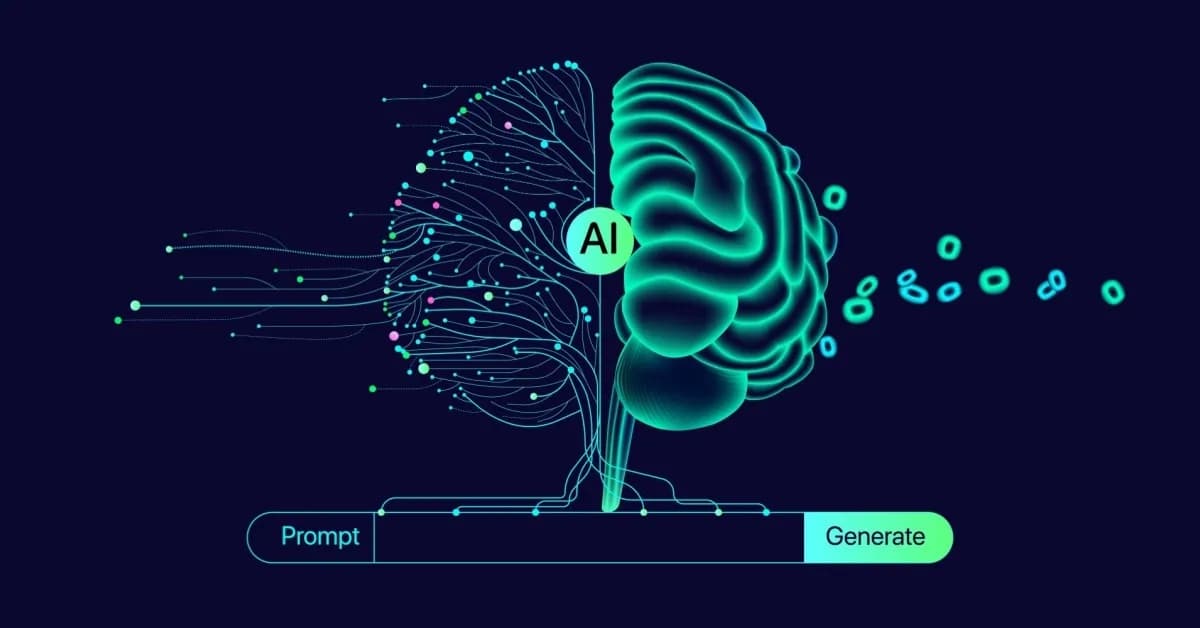
A prompt is the input you give an AI system to produce a response. It can be a question, an instruction, a document you want summarized, or a description of what you need. Every time you type something into an AI chatbot, you're writing a prompt.
It's one of those "five minutes to learn, a lifetime to master" concepts. Better prompting can unlock massive performance improvements in generative AI systems.
Here are the most actionable tips I've learned from spending over 2,000 hours working with AI and optimizing prompts.
How AI Prompts Actually Work
What happens when you hit send
Many people think that when you type a prompt and press enter, the AI searches a database or browses the internet. That's not what happens. The system predicts what a useful response might look like based on patterns it learned during training.
According to a study by AACE, 45% of US adults believe AI chatbots search databases for answers. Only 28% understand that models predict the next words in a sequence.
If you believed AI was searching for information, you’re not alone. But that misunderstanding shapes how you prompt, and it’s worth understanding how this can hold you back from getting the best possible performance.
For a deeper look at how generative AI models actually work, we’ve covered that separately. The short version: AI predicts. It doesn’t search.
Why prompts aren’t search queries
| Aspect | Search Engine Query | AI Prompt |
|---|---|---|
| Main function | Finds relevant indexed pages or documents | Guides the AI to generate a relevant response |
| How it works | Matches keywords and retrieves results | Predicts an answer based on context and patterns |
| Best input style | Short keyword-focused query | Clear request with context, purpose, and constraints |
| Example | Best Italian restaurant near me | I’m visiting Rome for 3 days and want a casual Italian restaurant near Trastevere under €25 per person |
| What improves results | Relevant keywords | Specific context and clear intent |
| Main risk | Irrelevant results | Generic or hallucinated output if the prompt is too vague |
When you use Google, you type keywords. For example, you might type “Best Italian restaurant near me.” Google searches its index and returns links. That works because Google is a search engine.
AI chatbots work differently. They’re conversational AI systems that predict responses rather than search for them.
Say you’re tutoring a student who’s nervous about calculus. You could drop a pile of textbooks on their desk and tell them to figure it out. Or you could learn what they know, where they’re stuck, and what makes sense to them.
The same information yields a completely different outcome.
AI needs the same thing from you. It has tons of knowledge and information. What it lacks is context about your specific situation. A vague prompt gives it nothing to focus on, so it’ll produce something that sounds reasonable but helps nobody in particular.
Weak prompt👎
"Explain API endpoints."
Strong prompt👍
"I'm a project manager with only basic skills in code. Explain API endpoints the way you'd explain them to someone who needs to talk to engineers about integration timelines but doesn’t understand the underlying technology well."
Weak prompt👎
"Help me write an email."
Strong prompt👍
"I need to follow up with a client who ghosted after our last call. Keep it under 100 words and suggest one specific next step."
The quality of your output depends on the context you provide. The strong versions work better because they give the AI a solid starting point.
Since AI is designed to make predictions rather than searches, it can also confidently produce wrong information. This is a well-known side effect called hallucination. Vague prompts worsen this.
When you give the AI a broad topic without constraints, it has more room to fill gaps with plausible-sounding nonsense (e.g., slop). A specific prompt with clear context keeps the model focused, thus reducing the chance it drifts.
Not All Prompts Are Created Equal
Getting great outputs from AI prompts is often a skill issue
There's a common belief that people who get amazing results from AI know some kind of secret formula. A specific structure. A magic phrase. Some obscure scientific knowledge is beyond the reach of common people. But that’s simply not true.
The people getting genuinely useful results work within the constraints of how generative AI operates. You maximize the model's capabilities while minimizing its limitations through effective prompting.
I figured this feature out in the summer of 2023 when GPT-4 had just launched.
I wanted to learn about algorithmic trading, so I opened a chat and asked a broad question about how it worked. Then I asked a follow-up about a specific concept within it. In the third message, I asked the detailed question I actually cared about.
That third response was significantly better than anything I'd gotten before. The first two messages had given the AI the context it needed to understand what I was actually after. Same model. Same topic. The only thing that changed was how I set up the conversation.
I didn't have a name for what I was doing. Later, I'd learn people were calling it “context engineering,” that is, giving the AI your full situation instead of just a question. At the time, I felt as though I had discovered a real-life cheat code.
The layers most people never think about
When people think of prompting, they usually only think about what they type into their chat window. Clear question, decent structure, maybe a few details. That part is important, but it is only the starting point for proper prompting.
The people who get the best results from generative AI models think about what comes before the message they type. Here are the three things that I always consider when coming up with a prompt.
What context would help the AI answer your question? Consider your situation, your constraints, previous attempts, and the intended purpose of the output.
Someone asking for "a marketing email" is working with completely different information than someone asking for "a marketing email to re-engage customers who haven't purchased in 90 days from a small business that depends on foot traffic.”
Same task, but the second person will get a better result every time.
I do this with learning, too. When I'm studying math or science, I'll tell the AI to teach me in the voice of Einstein. For business strategy, I'll ask for Peter Diamandis. The default voice that comes out of language models is bland. Giving it a voice to work with is another layer of context that changes the output.
Details about your situation and why you need the answer. There's a gap between what people ask for and what they actually need. "Write me an email" and "I need to decline a meeting without damaging the relationship because a client deadline matters more this week" are both email requests.
One gives the AI a task. The other gives it purpose. The "why" behind a request changes everything about the response.
Clear description of what a bad answer looks like. If you don't define success, the AI guesses. And if you can describe what would make you reject the output ("too formal," "sounds like a form letter," "too long"), you narrow the possibilities faster than describing what you want.
To find out how different models perform, use chat aggregators like LorkaAI to test all the latest state-of-the-art models under one affordable subscription.
Think of prompts like briefing a freelancer
I've spent years hiring freelancers on platforms like Upwork, and I've advised multiple agencies that hire the same way. The biggest struggle is always the same: breaking an objective down into clear tasks, articulating exactly what's needed, and putting it in the right order.
Post "design me a logo" on a freelance platform and you'll get generic submissions. Brief the designer with your brand story, your audience, three logos you admire, and two you don't, and you get work you can actually use.
Prompting AI is the same skill. The gap between a weak prompt and a strong one is the gap between a vague request and a good creative brief. The right information beats the right words every time.
Author Insightℹ️
Getting better at prompting changed how I communicate with people. I used to over-talk, over-share, and over-explain. Working with AI taught me to organize my thinking before I open my mouth, and that discipline carried over into my emails, my team briefings, and even casual conversations.
Shopify CEO Toby Lutke noticed the same thing: providing complete context for AI made him a clearer communicator with humans.
Common Mistakes That Hold People Back
Sometimes getting great results isn't about doing everything right, but instead about avoiding the mistakes that hold you back. Here are the three biggest mistakes that people make.
1. Thinking AI works like Google. This is the misconception behind most bad prompts. You type "marketing strategies" the same way you'd type it into a search bar, and you get a generic summary. But AI doesn't search an index. It predicts.
"I manage a team of five and need to reduce our client churn rate this quarter" gives it enough signal to predict something specific to your situation.
2. Assuming the AI knows what you mean. You ask for "a cover letter for a job application" and reject three drafts because none of them sound like you. The AI didn't fail. It predicted what a generic cover letter should look like because you gave it nothing else to work with.
Your tone, your experience level, and what makes you a good fit for this specific role, all of that was in your head. None of it was in the prompt.
I see this in YouTube comments and LinkedIn threads all the time. People ask each other, "What's* your prompt?"* as though there's a perfect version somewhere. There isn't. Ten people with the same task will have ten different audiences, tones, goals, and definitions of success. A prompt that works for one person's situation won't work for yours.
3. Blindly trusting the first answer without questioning it. Most AI models are agreeable by default. They're designed to be helpful, so they often agree with you, even if you're wrong.
Recently, a developer created an open-source benchmark to determine which AI models produce accurate information rather than simply agreeing with whatever you tell them.
It’s called BullshitBench, a viral benchmark that tests whether AI models reject false premises or agree with nonsense. It found that most models agreed with false statements more than half the time. Only two model families consistently pushed back: Anthropic's Claude and Alibaba's Qwen.
This means that even the most advanced models still require you to bring your own judgment; otherwise, the agent can very easily take you down an unproductive path, and it will leave you in the dark about whether your question or request is sensible.
How to Start Getting Better Results from Prompts Today
Here's how you can improve your prompting game today.
Start by telling the AI who you are. Two sentences about your role, your situation, or what you're working on will change everything that follows. "I'm a freelance graphic designer quoting a project for a client who keeps expanding the scope" gives the AI a foundation that "help me write a quote" never will.
Then explain why you need it. "Write me an email" is a task. "Write me an email because I need to decline this meeting without making my boss think I don't care about the project" is a task with purpose. The "why" gives the AI better judgment about tone, length, and what to prioritize.
Describe what a bad answer looks like, too. "Don't write it like a corporate form letter" or "Don't assume I have a technical background" tells the AI where the boundaries are. Constraints narrow the output faster than wishes.
Every AI model has different strengths, and the same prompt can produce very different results depending on which one you use. Running your request through two or three models builds your intuition faster than any guide. Platforms like Lorka let you do these tasks without managing separate subscriptions.
And treat every first response as a draft. Tell the AI what it got right and what needs to change. "Good structure, but the tone is too formal for my audience" is more useful than starting over. The best results almost always come from the second or third pass.
If you want to go deeper, our guide to writing prompts walks through a step-by-step framework. And for practical use cases where these skills pay off fastest, see how to get real value from AI.
Frequently Asked Questions About What is a Prompt
A question is one type of prompt. A prompt can also be an instruction, a description, a document, or a combination of several things at once. "What's the capital of France?" is a question. "Rewrite this email to sound more confident and cut it by 30%" is an instruction. Both are prompts that tell the AI what you need.
Key Takeaways✅
- A prompt is the input you give AI to produce a response. It can be a question, an instruction, a document, or a detailed brief.
- AI predicts. It doesn't search. Better input means better predictions.
- The people getting the best results think about AI prompting in terms of context, purpose, and what success looks like.
- There is no perfect prompt. Everyone's requirements are different. Clear communication beats any formula.
- Different models respond differently to the same prompt. Testing across models builds your skills faster than reading guides.


Try your prompt in Lorka AI
Ready to see how your prompts perform across different AI models? Try Lorka to access ChatGPT, Claude, Gemini, and more in one platform. Same prompt, multiple models, one subscription.
Try Lorka