
How Does Gemini AI Actually Work?
While the Gemini chatbot is useful on its own, it can be used in various ways and on different devices.
Firstly, Gemini is a large language model. It’s trained to understand text, images, and other inputs, and to generate helpful responses based on the patterns it has learned.
When you type a question or request, like other LLMs, Gemini predicts the most useful answer using these models, both in the chatbot and when using it inside Google Workspace.
When was Google Bard first released?
Bard was first released in March 2023 as Google’s first AI chatbot brand. On February 8, 2024, Google officially rebranded Bard as Gemini. This brought the chatbot, AI models, and assistant under a single name and platform.
How Does Google Gemini Compare to Other LLMs?
The Gemini AI model is different from many other large language models because it was designed to handle more than just text. Instead of adding features later, Gemini was trained to understand multiple content types and to work directly with Google’s tools.
More specifically, here are some differences Gemini has with other models:
- Multimodal training from day one: Google’s AI tool was trained on text, images, video, and code, which helps it understand mixed content like documents with visuals, charts, or screenshots more naturally.
- Deep Google Workspace integration: Without having to even leave the chat, Gemini can search your Gmail, summarize Docs, pull information from Sheets, and find files in Google Drive.
- Built into everyday Google tools: Apart from Gmail and your Google Workspace, it’s built directly into Android phones.
- Designed for practical use: The Gemini chatbot focuses less on conversation style and more on helping you complete real actions using information stored in your account.
Google AI Performance and Capabilities
Gemini 3 has become a leading model for agentic and reasoning tasks, consistently outperforming key competitors such as GPT and Claude Opus across major benchmarks.
Below are some of Gemini 3’s performance highlights:
- Deep Think mode: This additional reasoning capability achieves state-of-the-art performance on PhD-level benchmarks such as GPQA Diamond (93.8%).
- Agentic reliability: The model frequently excels at long-horizon planning, proving superior in managing complex, multi-step workflows without drifting off-task.
- Multimodal mastery: With an 87.6% score on Video-MMMU, Gemini 3 excels at synthesizing dynamic video and spatial information. (“Gemini 3: Introducing the latest Gemini AI model from Google”)
Gemini AI Model Versions: What They Offer and How They Help
Gemini's models are tailored for different tasks and devices. While Gemini is great on its own, on Lorka, you can use the latest versions of Pro and Flash in the same chat and combine them with OpenAI and Claude models.
Below is a simple breakdown to help you choose the right one for your tasks.
| Model | Best for | Strengths | Use cases |
|---|---|---|---|
| Gemini 3 Flash | Speed and efficiency | Low latency, high throughput, cost-effective multimodal reasoning. | Real-time agents, large-scale data extraction, and interactive apps. |
| Gemini 3 Pro | Balanced day-to-day work | Advanced reasoning, native multimodal use, and strong coding capacity. | Advanced problem-solving, coding, and content creation. |
| Gemini 3 Ultra | Deep thinking | Deeper reasoning, the highest accuracy among Gemini models, and complex planning skills. | Scientific research, strategic analysis, and advanced math challenges. |
| Gemini Nano | On-device tasks | Offline privacy, zero latency, efficient local processing. | Smart replies, summarization, and sensitive data management. |
Gemini 3 Pro
The main all-purpose model most people interact with is Gemini Pro, which works best for everyday tasks like writing, summarizing documents, answering questions, and helping with work inside Google Workspace.
Gemini 3 Flash
If you need faster answers, Gemini Flash can be the best version for you. Flash is built for quick, lightweight tasks, such as short summaries or repetitive actions that don’t need as much analysis.
Gemini 3 AI Ultra
Gemini Ultra is considered the most powerful version of the Google Gemini model family. It’s designed for deeper reasoning, large projects, and more advanced problem-solving, which can help you complete heavy research and detailed analysis.
Gemini Nano
For Android users, Gemini Nano is a smaller model found on your smartphone. It runs directly on your device, which gives you faster responses and better privacy for simple tasks. You’ll mostly use Nano as your mobile support system and not a chatbot.
Gemini Gems
With Gems, it’s possible to create AI prompts tailored to your specific goals, acting as a sort of coach. After creating a Gem, it remembers your detailed instructions and preferences to simplify your most frequent tasks.
Key characteristics of Gems include:
- Personalization: Unique Gems can be created with specific knowledge, tones, and uploaded files to fit your exact needs.
- Ready-made solutions: Premade Gems are designed for tasks like career coaching, brainstorming, and coding assistance.
- Greater productivity: Gems already know the context and style you need to complete tasks quickly.
Gemini Code Assist
Gemini Code Assist is an AI-powered development tool that improves coding by integrating directly into your IDE and terminal. It helps automate repetitive tasks so you can focus on building logic.
This is what you can do with Google Gemini’s Code Assist:
- Complete integration: Works within popular IDEs like VS Code, IntelliJ, and PyCharm, as well as the terminal via Gemini CLI.
- Intelligent coding: Offers automatic code completions and natural language chat to explain or modify code.
- Agentic automation: Includes AI agents that can perform technical tasks within multiple files and run commands without supervision.
- Enterprise-ready: Enterprise versions allow connection to private repositories, such as GitHub and GitLab, for customized suggestions and include IP indemnification.
- Prompts & compatibility: On Lorka, you can use a ready-made prompt to code with Gemini and combine it with Opus 4.6’s debugging, Kimi K2.5’s visual coding, and more.
Who Can Use Google AI?
If you’re studying, working, or just need quick information, Google Gemini is ideal for a wide range of users, especially if you already rely on Google tools.
Here are some different types of users that can take advantage of what Gemini can do:
- Students: If you’re studying, you can use Gemini AI models to summarize documents and organize study notes.
- Writers and marketers: Marketers and copywriters can use Google’s AI tool to draft or optimize content and even organize ideas directly in Google Docs.
- Office professionals: Find emails in Gmail, summarize meeting notes, and work faster in Google Workspace if you do office work on a regular basis.
- Small business owners: You can improve your business’s workflow by creating emails and quick insights without extra software.
- Developers: Gemini can give you coding help, provide explanations, and lightweight debugging support (depending on the model).
Should You Try Google Gemini?
If you’re wondering whether Gemini is worth using, you could benefit from the tool if you fall into the following categories:
- If you use Gmail daily
- If you work in Google Docs or Sheets
- If you’re looking for the best pure coding model
However, if you want more flexibility regarding Gemini models and even other LLMs, you can access Gemini’s most powerful models alongside other top LLMs like ChatGPT on Lorka, all for the price of a single subscription.
This lets you choose the right model for each task without being locked into one ecosystem.
Gemini Use Cases: Ways Professionals and Students Work with the AI
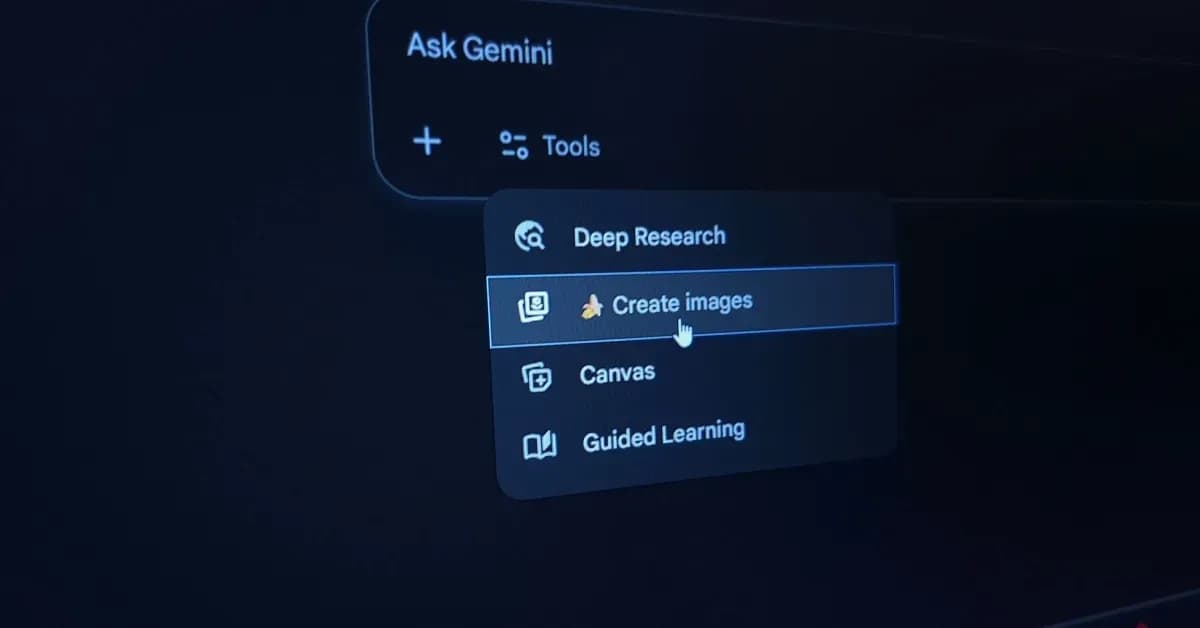
Gemini isn’t only restricted to niche or experimental tasks. It also works for everyday problems where speed, clarity, and reasoning matter.
Here are some ways you can use it for work, research, and more:
Writing and content creation
Gemini can help you draft emails, rewrite paragraphs, summarize long texts, and brainstorm ideas, especially when you’re using Google software.
Research and document summaries
You can use Gemini to summarize long reports by extracting key points from documents or explaining complex topics in simpler terms. This works well for anyone dealing with information-heavy files.
Programming and technical help
Using the Gemini chatbot can help you with writing code snippets and reviewing logic. While it’s helpful for general coding support, it may not always match the depth of models built specifically for advanced programming tasks.
Planning and organization
Try Gemini to help you organize tasks and even your day-to-day your plans, draft project outlines, plan trips, or find information stored in Gmail and Google Drive quickly.
Gemini AI Limitations and Risks
Like any AI model, Gemini isn’t perfect. It can sometimes hallucinate, meaning it generates answers that sound confident but are incorrect.
There are also privacy risks, especially when Gemini connects to Gmail or Google Workspace, so users should understand what data is being accessed.
While Gemini handles many tasks well, its reasoning isn’t flawless, and logic problems that are complicated may still require your personal review. Keep in mind that for important decisions, Gemini should be used as a support tool and not as a final decision maker.
Before jumping into Gemini for your entire project, you can mix and match different LLMs in the same chat on Lorka to see which model or models work best for you in your workflow.
Is Gemini Free to Use?
Google AI is available in both free and paid versions, depending on your power and integration needs; however, these plans only provide access to Google models, and some have only limited access.
On Lorka, you can use Gemini 3 Pro and Gemini 3 Flash and combine their capabilities with other LLMs like Chat GPT 5.2, Claude Opus 4.6, and more for the price of a single subscription.
These are its basic plans:
- Gemini (Free version): This plan includes limited access to Gemini features.
- Google AI Pro ($19.99/month): This plan gives you more access to the latest Pro model, deep research, and 2 TB storage.
- Lorka multi-model platform: Access Gemini 3 Pro, Flash, GPT 5.2, Claude Opus 4.6, and other top AI models for just $29.99/month.
How Gemini Compares to ChatGPT, Claude, and Copilot
Different AI models can give you more certain advantages over others, depending on what you need it for and how you use it.
See how Gemini stacks up with ChatGPT, Claude AI, and other widely used LLMs in the table below.
| AI model | Characteristics |
|---|---|
| Google Gemini 3 | Strong Google Workspace integration and handles very long inputs well with a large context window. Best for people who use Google tools. |
| ChatGPT 5.2 (OpenAI) | Great for creative writing and general Q&A. Includes a built-in Python sandbox for analysis and experimentation. Often easier for “open-ended” tasks. |
| Claude (Anthropic) | Very good at long document reading and natural writing. Adept at following detailed instructions and producing structured outputs. |
| Microsoft Copilot | Copilot works best if you work inside Windows and Microsoft 365. Useful for Office-centric workflows and company environments. |
Lorka AI vs. Gemini AI
When using Gemini on Lorka, you get a number of unique advantages that can help you improve your workflow immediately without needing to subscribe to different models.
- Switch with other LLMs: Take advantage of an AI chat that allows you to use Gemini 3 Pro and other strong AI models to get the best out of your coding tasks, writing assignments, and more.
- Access to AI tools: Apart from Gemini 3, you can use a dedicated AI image editor, background editor, translation tool, and more on our platform.
- Everything under one subscription: Use both the latest LLMs and AI tools while just paying a single subscription.
Try Lorka today and make your use of Gemini models even more effective.
FAQs About Google AI
Each LLM has its strengths and weaknesses. In general, Gemini outperforms ChatGPT in multimodal reasoning and analyzing larger files.
However, ChatGPT remains superior for creative conversation and coding within its Python sandbox.
Resources: